
Projects
Your own record of the job, not the contractor's
From the first bid to the final payment, each job keeps its bids, contract, invoices, lien waivers and a dated log of the work in one place. Your contractor doesn't need the app. Years later you can open the job and see who did the work and what you paid.
From the first bid to the final payment, each job keeps its bids, contract, invoices, lien waivers and a dated log of the work in one place. Your contractor doesn't need the app. Years later you can open the job and see who did the work and what you paid.
Before you hire
Line your bids up side by side
When you start a project, you get a list of the trades a job like yours usually needs, so a kitchen remodel doesn't leave out the electrician. Then add each bid. They go on the same rows, from price and permits to warranty and payment terms, and anything a contractor left out is marked as missing. That's your list of questions before you sign. For a furnace or water heater you've added to your home, you can also see the cheapest repair beside the cheapest replacement.

| Bid A | Bid B | Bid C | |
|---|---|---|---|
| Price | $12,900 | $14,200 | $13,600 |
| Materials included | No | Yes | Yes |
| Permits included | Not stated | Yes | Not stated |
| Workmanship warranty | Not stated | 2 years | 1 year |
| Could start | Next week | Early November | Not stated |
| How long | 10 days | 3 weeks | Not stated |
| Payment terms | Not stated | Half up front | On completion |
Money
What's left on the contract
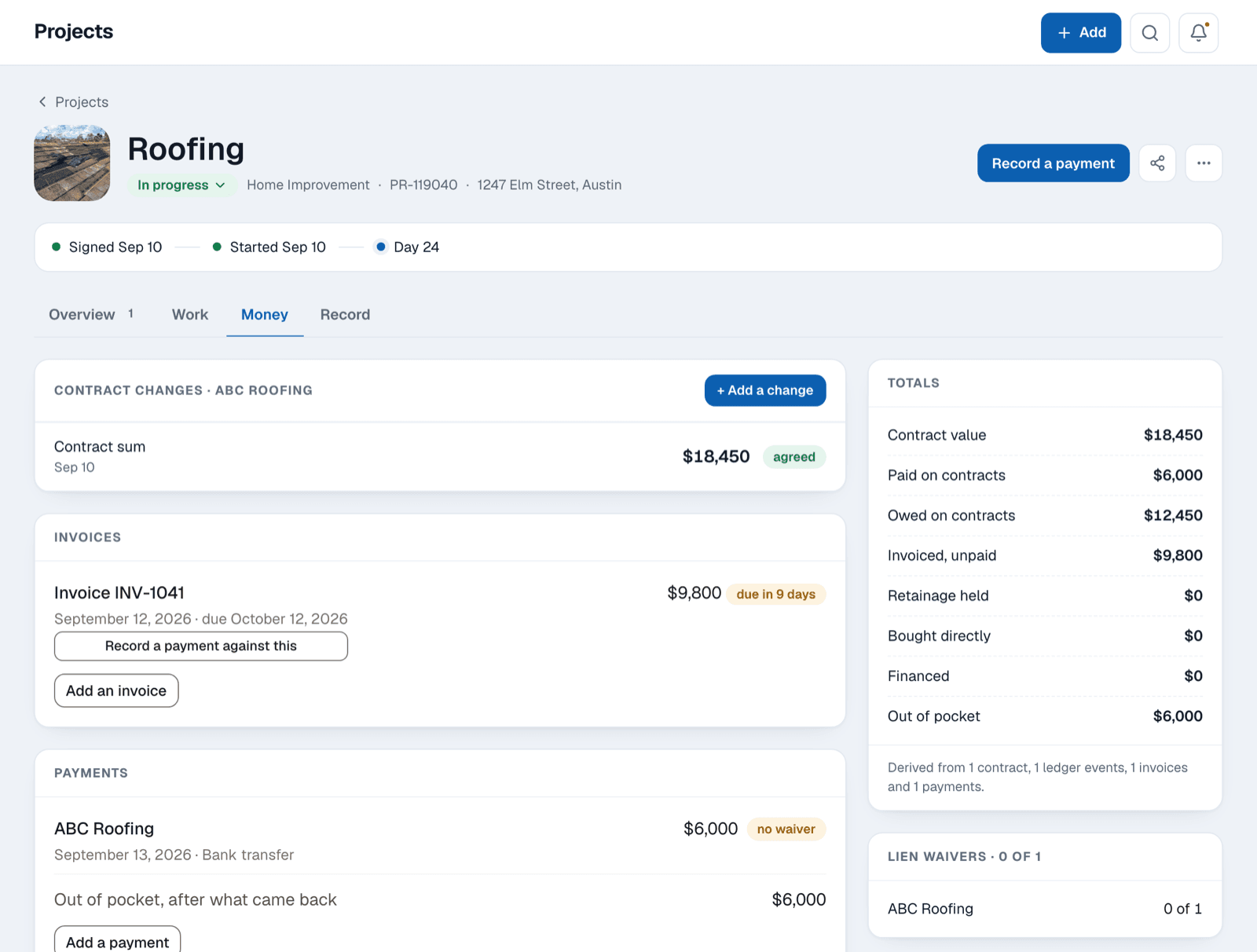
Record each payment as you make it. Satisfy+ subtracts what you've paid on the job from the contract price and shows what's left before the next bill arrives.
- Part of a job's totals (example)
- Contract value $52,000 · Paid on contracts $30,000 · Owed on contracts $22,000 · Financed $24,000 · Out of pocket $6,000
The contract
Note the company, the trade, what it covers, the date you signed and the price, and whether you agreed in writing, by email or by text.
Invoices
Each invoice goes in with its amount and due date, and you match it to the payments that cover it.
Who paid
Money your lender paid is counted as financed, apart from what came out of your own pocket.
Money that comes back
When a reimbursement arrives, add it, and you'll see what the job really cost you.
Lien waivers
Who could put a lien on your home
A subcontractor or supplier your contractor didn't pay may be able to put a lien on your home, even if you paid the contractor in full. A lien waiver is their signed release of that right. You add each company that could file one, and for each payment you see which waiver you hold. Before the final payment, it's the list to check.
- Lien waivers for one payment (example)
- Ridgeline Framing · Unconditional
- Valley Lumber Supply · Not received
A notice from someone you didn't hire
If a supplier sends you a notice, add them with the date it arrived.
Conditional or unconditional
A conditional waiver is signed before the money clears. An unconditional one is signed after, and it's the one that's final.
Each new payment
When you record a payment, every company on the list shows as missing a waiver for it until you log one.
Insurance repairs
Claim the depreciation your insurer held back
On many replacement-cost policies, the insurer pays part of a repair up front and holds back the rest, called depreciation, until the work is finished. There's usually a deadline to claim it.
- Insurance settlement (example)
- Replacement cost (RCV): $18,400
- Actual cash value (ACV): $13,900
- Depreciation withheld: $4,500
- Claim it by: Mar 14, 2027

What's still held back
Enter the replacement cost and the actual cash value from your settlement letter, and the job shows the difference your insurer is holding.
The deadline
Add the date from your settlement letter, and you'll be reminded before it passes, with an email two weeks ahead.
The adjuster
Keep the adjuster's details, a note of each call and any extra damage you submit after the first estimate.1
As the work goes
A dated log of the job
Write things down as the job goes, and you'll have the whole job in the order it happened.

Two dates on each entry
An entry keeps the day it happened and the day you wrote it down. A call you log on Sunday still reads as Thursday's call.
Delays, changes and problems
Note a back-ordered part, a change to the plan or a leak the day it comes up.
Photos at each stage
Take before, during and after photos on the job, next to the entries from the same stage.
Inspections and choices
Record each inspection and the materials you picked, like the tile and the fixtures.
Plans
One job at a time on Home+
Bids, contracts, payments, lien waivers and insurance repairs come with Home+, for one active project at a time. With the Home+ Projects add-on, the kitchen and the roof can each have their own page at once. Your first month of Home+ is free.
The first month free is for a new account on monthly Home+, started on the web with a card. Home+ then renews automatically until you cancel. The price and terms are shown in the app before any payment is taken.
Start the job's page before you sign.

Disclosures
- 1.Satisfy is not a law firm and is not a licensed insurance adjuster or public adjuster.