How-to
Thermostat settings that cut the bill without the shivering
Set your thermostat to turn the heat down, or the cooling up, while you sleep or work, and save up to 10 percent a year on heating and cooling.
Satisfy+ Editorial · Published September 14, 2026 · 2 min read · 20 min to do · Free
At a glance
- Time
- About 20 minutes
- Saving
- Up to 10 percent a year on heating and cooling
- The setback
- 7 to 10 degrees for 8 hours a day
- Heat pump
- One steady temperature instead
Turning the thermostat back 7 to 10 degrees for 8 hours a day can save as much as 10 percent a year on heating and cooling. In fall and winter, turn it down. In spring and summer, turn it up.
The easiest 8 hours are while you're asleep or out of the house. A programmable or smart thermostat makes the change on a schedule.
What you need
- The thermostat's manual, or the maker's app for a smart thermostat
- A rough weekly schedule: when the house is empty and when everyone is asleep
- Fresh batteries, if the thermostat uses them
Steps
- 1
Check whether you have a heat pump
A heat pump doesn't save energy when it's turned down while you're away or asleep. If yours is a heat pump, skip the setbacks below and pick one comfortable temperature, unless the thermostat is made for heat pumps.
2 min
- 2
Choose your at-home temperatures
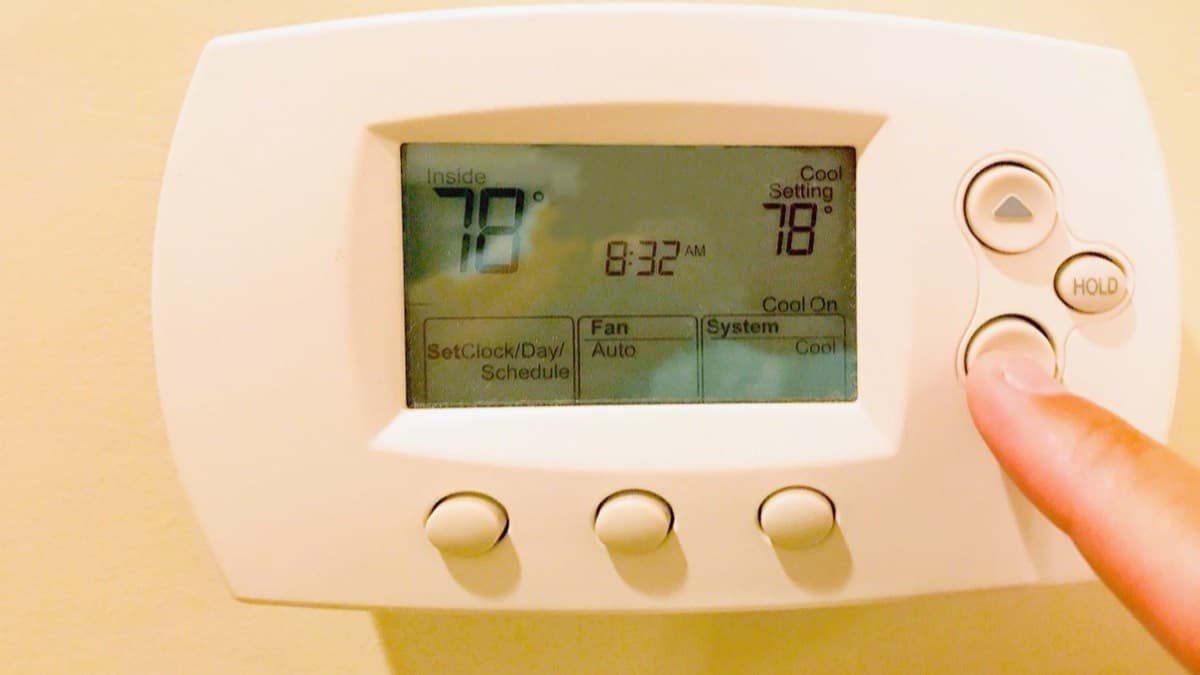
Start at 70°F or lower for heat when you're home and awake, and 78°F or higher for cooling. Adjust from there until the house is comfortable.
3 min
- 3
Set the daytime setback
For the hours the house is empty, drop the heat at least 8 degrees, or raise the cooling at least 7.
5 min
- 4
Set the overnight setback
While you sleep, drop the heat at least 8 degrees, or raise the cooling at least 4.
5 min
- 5
Use hold for trips
For a weekend or a vacation, set the "hold" button at an energy-saving temperature.
2 min
- 6
Replace the batteries
Change them once a year.
3 min
- 7
Check that the schedule ran
The next morning, look at the thermostat or its app. If the overnight setting shows in its history and the house is warm by the time you're up, the schedule worked.
1 min
Set the thermostat schedule for winter
- Set the daytime and overnight setback temperatures
- Replace the thermostat batteries
With a manual thermostat
You can make the same change by hand. If you'll be away for several hours, turn a manual thermostat 5 to 8 degrees down in winter or up in summer. Do it before you leave and when you go to bed.
Keeping the savings
Leave the energy-saving temperatures in place for long stretches, such as the workday and overnight. Each manual override uses more energy and can raise the bill. If the house has more than one heating and cooling zone, each zone needs its own schedule.
In a home with high heating and cooling bills, or one that sits empty much of the day, a certified smart thermostat can save about $100 a year.
FAQ
Does it cost more to reheat a cold house than to keep it warm?
No. Turning the thermostat back 7 to 10 degrees for 8 hours a day saves as much as 10 percent a year.
What temperature should the heat be at night?
At least 8 degrees below your daytime at-home temperature.
Sources
Checked October 19, 2026
- U.S. Department of Energy. Energy Saver: Tips on saving money and energy in your home (2022)
- U.S. Environmental Protection Agency, ENERGY STAR. A guide to energy-efficient heating and cooling (2009)
- ENERGY STAR. Air-source heat pumps (2026)
- ENERGY STAR. Heat and cool efficiently (2026)
- HVAC
- Beginner
- Winter
- Free
- Budget
- DIY