How-to
Setting up a weather radio at home
Program a NOAA Weather Radio with your county's six-digit SAME code, put batteries in it, set it near a window, and listen for the weekly test.
Satisfy+ Editorial · Published August 13, 2026 · 3 min read · 20 min to do · Under $100
At a glance
- On the air
- 24 hours a day
- Your code
- Six digits, from 1-888-NWR-SAME
- Power
- Plugged in, with batteries for outages
- The weekly test
- A 1050 Hz alarm tone
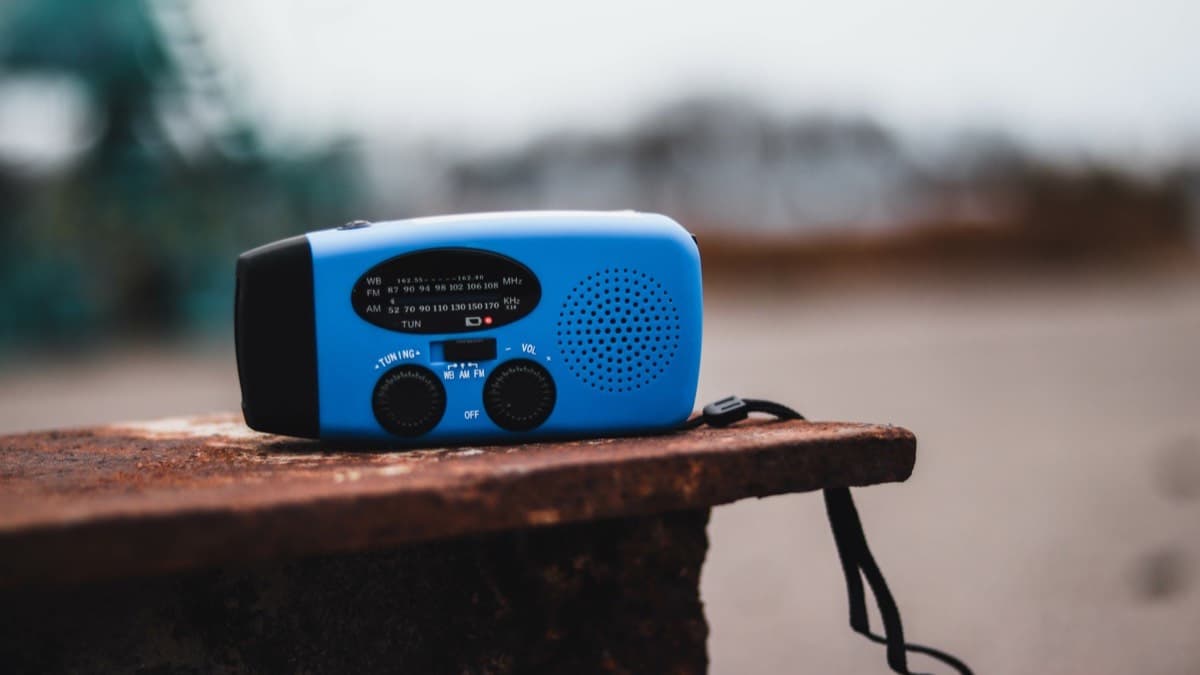
NOAA Weather Radio is a network of stations that broadcast weather information straight from National Weather Service offices, 24 hours a day. The broadcasts carry warnings, watches, forecasts, current conditions and other hazard information. A radio with the SAME feature, short for Specific Area Message Encoding, stays quiet until an alert comes in for the area you've programmed. Then it sounds a 1050 Hz alarm tone and plays the message. Every alert carries a code giving the type of message, the counties affected and when it expires. Specially designed weather radios can also connect to other alerting devices for people who are deaf, hard of hearing, blind or low vision.
What you need
- A NOAA Weather Radio with the SAME feature
- Batteries of the type the radio takes
- Your county's six-digit SAME code
- The radio's instructions
Steps
- 1
Find your county's SAME code
Each county, parish, independent city or marine area has a six-digit SAME code. Look it up on the National Weather Service's SAME location codes page, call 1-888-NWR-SAME (1-888-697-7263), or text "Go" to that number.
5 min
- 2
Put the batteries in
Keep the radio plugged in, with batteries in it so it keeps working when the power goes out.
2 min
- 3
Set it where it picks up the station
Put it near a window facing the direction of the station, away from other electronics. If reception is still poor, an external antenna can help.
5 min
- 4
Program the code
Follow the radio's instructions to enter your county's code. Most SAME radios take several codes, so you can add nearby counties too.
5 min
- 5
Tune it to a SAME station
Use the station listed for your county. Don't set it to a louder or clearer station that isn't a SAME channel for your area.
2 min
- 6
Listen for the weekly test
Every National Weather Service office tests each of its transmitters once a week, with the 1050 Hz alarm and the SAME tones. The day and time are set by your local office, and the test moves to the next good-weather day if severe weather is threatening.
1 min
Keep the weather radio ready
- Set the weather radio to your county's SAME code
- Check that the weather radio sounds during the weekly test
- Put fresh batteries in the weather radio
An annotated example
What to do next
Program your county's code, put fresh batteries in, and listen for the next weekly test. Building an emergency kit and keeping it current covers the rest of what to keep on hand.
FAQ
How do I find my county's SAME code for a weather radio?
Look it up on the National Weather Service's SAME location codes page, or call or text 1-888-NWR-SAME (1-888-697-7263).
Will a weather radio work in a power outage?
If it has batteries in it. Keep it plugged in with batteries installed.
How do I know my weather radio is working?
Listen for the weekly test, which sounds the 1050 Hz alarm and the SAME tones. Your local National Weather Service office sets the day and time.
Sources
Checked October 20, 2026
- National Weather Service (NOAA). Using NWR SAME (2026)
- National Weather Service (NOAA), Philadelphia/Mount Holly office. NOAA Weather Radio frequently asked questions (2026)
- Owner
- Beginner
- Tenant
- DIY